Surge Realm
Instructions:
Use mouse to playDescription
Surge Realm Browser Game Analysis
Highlights
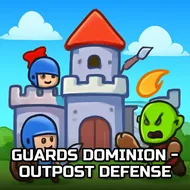
Orcs and trolls don't wait for an invitation, and neither does this game. The moment you load in, there's a path already crawling with fiends, and it's on you to figure out where your warriors and mages go before the first wave chews through your gates. It's a flat, 2D tower defense setup, nothing fancy about the presentation, but that simplicity works in its favor since you're never squinting to figure out what's a threat and what's scenery. Mixing melee units up front with spellcasters lobbing damage from behind gives the whole thing a nice rock-paper-scissors flavor, especially once evil wizards start showing up and punishing lazy placement.
What actually keeps you playing is the escalation. Early waves feel almost too easy, honestly, a bit of a slow burn, but that's the game lulling you into bad habits before trolls start soaking up damage like it's nothing and forcing you to rethink your whole formation. There's a real puzzle-y satisfaction in figuring out which choke point deserves your best mage and which one just needs a wall of cheap grunts. Mess up the order and you'll watch your line crumble in seconds, which stings, but it also means the next attempt feels earned rather than lucky. Kids and adults alike seem to get pulled in the same way, since the concept is dead simple to grasp but genuinely tricky to master once the harder enemy types stack up.
Key Combinations
- Left-click to place warriors and mages along the invasion path
- Click on placed units to check stats or upgrade them mid-battle
- Mouse-hover over enemies to preview incoming threats before they arrive
- Click menu icons to manage gold and unlock new unit types
- Use the mouse exclusively, no keyboard needed at any point